 Limited Drops
A strictly limited run, pinned to your feed — when the copies are gone, the drop closes.
Limited Drops turns your content into a numbered, limited-edition post — content you'll never sell the same way again — or a limited bundle, a one-time deal on a set of items you're still free to sell individually later. A running "X left" count stays live in the post's own caption, and once every copy sells, the post stays up as proof it sold out. A sold-out limited edition's own vault item gets archived and marked in your picker automatically, so you don't resell it by accident.
Find it in the Fanvue App Store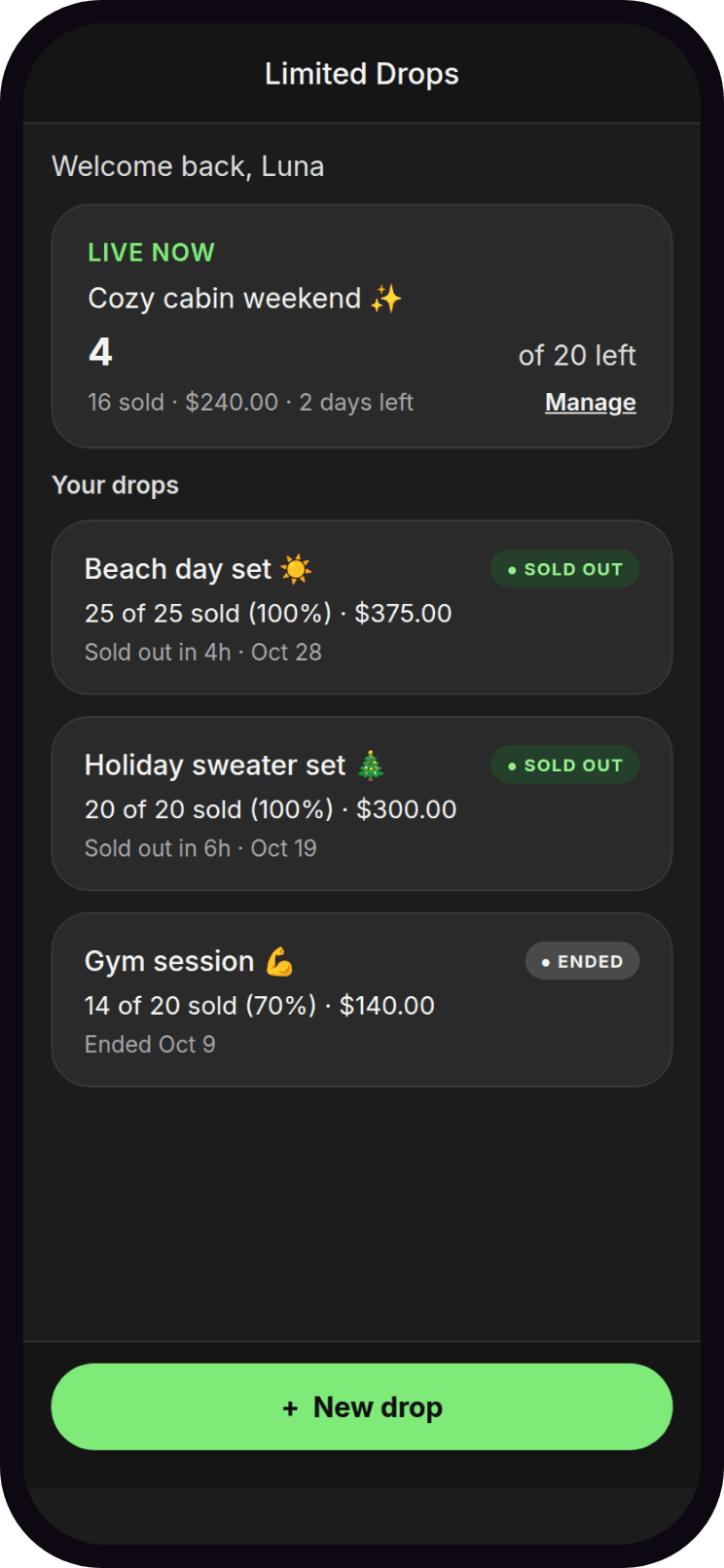
What you get
- Limited editions that actually sell
- A strictly limited number of numbered copies (or a one-time bundle), set once at creation and never increased
- Fans watch it sell out in real time
- The pinned post's own caption updates itself with how many copies are left as each one sells
- Never accidentally resell sold-out content
- A limited edition's vault item gets archived and marked in your "Add from vault" picker the moment it sells out, so you don't resell it by accident — one tap to undo
- Turn tips into another sale
- Fans who tip the price instead of unlocking are flagged, so you can send them a copy, message them, or mark it as just a tip
- Reach the fans most likely to buy, not everyone
- Notify a chosen Fanvue list the moment a drop goes live, then build a fresh list from who actually bought
 Step 1
Set it up in a minute
Pick photos or videos from your vault, set the number of copies and the price, and let "Suggest wording" help write the post — review it exactly as fans will see it before you go live.
 Step 2
Review exactly what fans will see
Set an optional end time, choose a list to notify the moment it starts, and preview the real post fans will see before you tap Start drop.
 Step 3
Watch it sell, number by number
The live counter and the list of buyers update the moment each copy sells — real numbers, never inflated.
Frequently asked questions
- What's the difference between a limited edition and a limited bundle?
- A limited edition is content you'll never sell again: only a set number of numbered copies exist, and when they're gone, they're gone. A limited bundle is a deal: only a set number of bundles at this price, while you're free to sell the items individually later.
- What happens to the item once a limited edition sells out?
- By default, that exact vault item is moved into an "Archived" folder in your vault and relabeled so it's clearly marked sold out — and marked with a warning in your picker so you don't resell it by accident. You can turn this off per drop, and undo it any time afterward.
- Can I run more than one drop at a time?
- One drop at a time per account, so every sale is tracked against the right post.
- Do fans need to do anything differently to buy?
- No. It's a normal paid Fanvue post — fans unlock it exactly as they would any other.
- Is it free to try?
- Yes. Every feature is included on the free plan, with a monthly limit on drops you can start. Upgrade any time to remove the limit.